


Your website first impression is being formed right now, probably in less time than it took you to read this sentence. Somewhere in Melbourne, a homeowner is searching for a builder on her phone. In Perth, a buyer is comparing three online stores. Each of them lands on a site, takes one quick look, and leaves. You’ll never see them in a sales report. All you’ll get is a slightly higher bounce rate and a vague feeling that the website “should be doing more”.
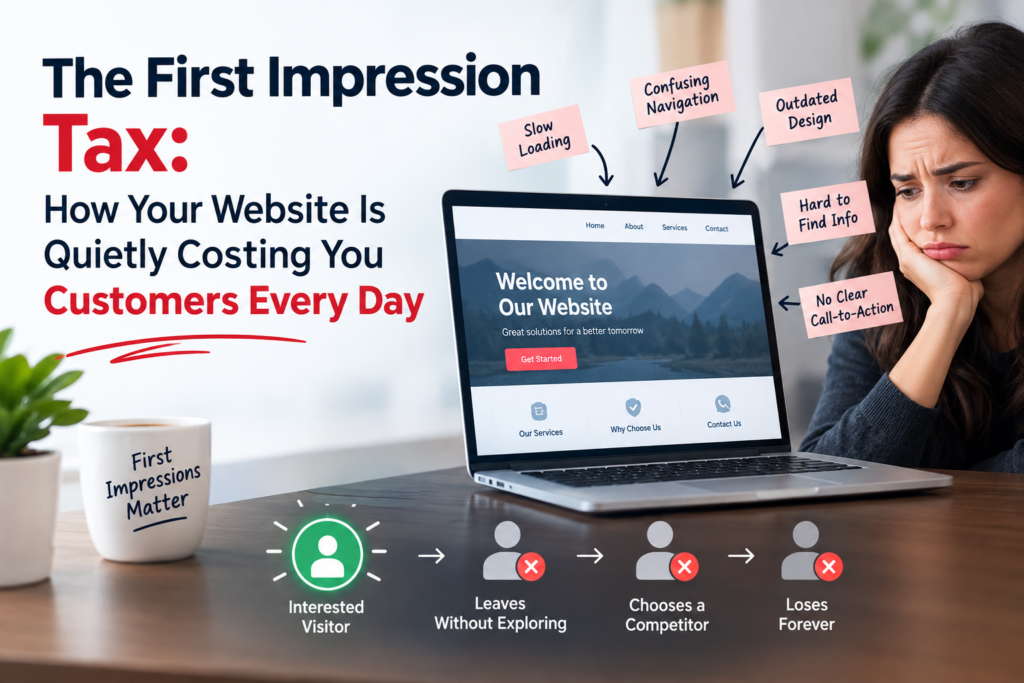
That’s the First Impression Tax. It doesn’t arrive as an invoice. It’s the revenue that never shows up because your site looked slow, dated, confusing or a little untrustworthy at exactly the wrong moment. And unlike GST, nobody is lodging it on your behalf.
This guide covers where the tax comes from, what it’s really costing you, and how to fix a weak website first impression without tearing everything down. If you’d rather have a second pair of eyes on your site, the team at Web Development Company offers a free audit.
What Is the Website First Impression Tax?
Think of it as a surcharge on every visitor you’ve paid to attract. You spend money on Google Ads, SEO, social posts and word of mouth to get people to your homepage. If your website first impression is weak, a chunk of them turn around at the door. You paid for the traffic. You didn’t get the customer.
It’s paid quietly, and that’s what makes it expensive. Nobody rings to say your checkout felt clunky or your menu confused them. They simply buy from the next business in the search results.
The tax tends to show up in three places: a higher cost per enquiry in your ad account, lower conversion rates from organic traffic, and a brand that feels smaller and less established than it really is.
How Fast Do Visitors Judge Your Website First Impression?
Faster than most owners would like. A well-known study from Carleton University, published in Behaviour & Information Technology, found that people can judge the visual appeal of a web page in as little as 50 milliseconds. That’s about a twentieth of a second, and the researchers noted that this snap judgement can colour how people rate everything else, including usability and credibility.
Speed matters just as much as looks. Google’s own research, shared on Think with Google, reported that 53 per cent of mobile visits are abandoned when a page takes longer than three seconds to load. A lovely design that loads late still delivers a poor website first impression.
The takeaway isn’t to panic. It’s that the first screen of your homepage carries more weight than the other nine pages combined.
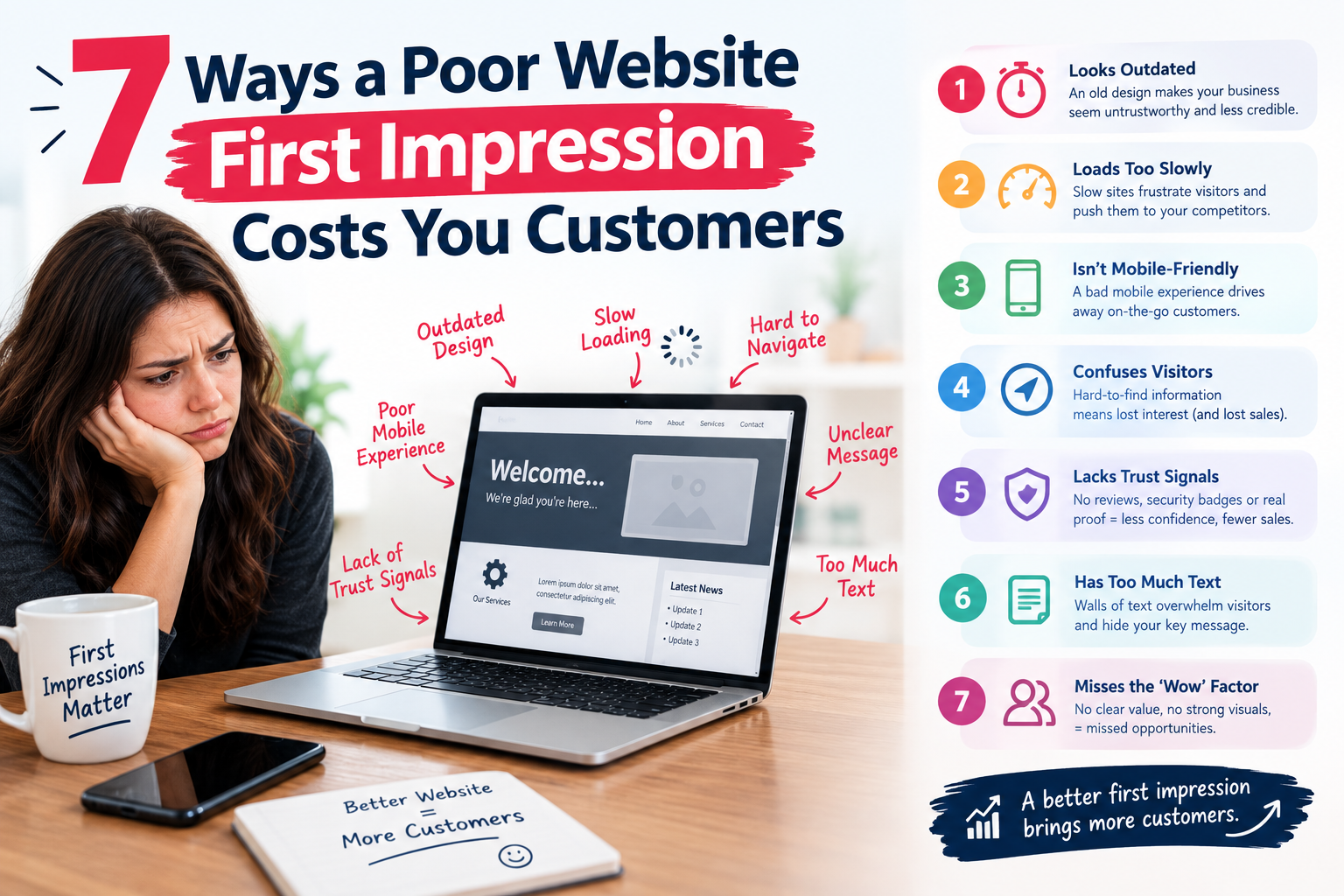
7 Ways a Poor Website First Impression Costs You Customers
Here are the leaks we see most often when auditing small business and ecommerce sites across Australia.
1. Slow load times
Slow pages are the most common cause of a bad website first impression, and the easiest to measure. Google’s Core Web Vitals give you three yardsticks: Largest Contentful Paint (how quickly the main content appears), Interaction to Next Paint (how quickly the page responds when someone taps) and Cumulative Layout Shift (whether things jump around while loading). You can test all three for free with PageSpeed Insights, and Google explains the thresholds in its Core Web Vitals guide. Oversized images, bloated plugins and bargain-basement hosting are the usual culprits.
2. A site that isn’t built for mobile
Most Australian visitors will meet your business on a phone first. If they have to pinch, zoom or hunt for a phone number, the moment is gone. Text needs to be readable without zooming, buttons need room for thumbs, and forms should ask for the bare minimum. Google also uses the mobile version of your pages for indexing, so a clumsy mobile experience hurts your rankings as well as your sales.
3. A homepage that doesn’t say what you do
Try the five-second test. Show your homepage to someone who doesn’t know your business, take it away, then ask what you sell and who it’s for. If they hesitate, your headline is doing too little work. Clear beats clever every time. “Family-owned electricians in Brisbane’s south” will outperform “Powering possibilities” on any given Tuesday.
4. Dated design and missing trust signals
A site that looks ten years old suggests a business that might be, too. Visitors also hunt for proof: real reviews, recognisable client logos, an ABN, a street address and a phone number that actually rings. If you’re a Melbourne business, say so and show it. Trust is built from small, specific details, and a strong website first impression usually relies on plenty of them.
5. Weak or hidden calls to action
If someone likes what they see, what should they do next? Book, call, buy, request a quote? When the answer isn’t obvious, people default to doing nothing. One primary button above the fold, repeated sensibly further down the page, beats five competing options.
6. Accessibility and security gaps
Low-contrast text, tiny fonts and missing image descriptions shut out visitors who might otherwise buy. The Web Content Accessibility Guidelines (WCAG) are the standard reference. Security matters too: a browser warning or a missing padlock ends the conversation instantly. The Australian Cyber Security Centre publishes plain-English advice for small businesses at cyber.gov.au.
7. Clunky checkout, forms and search
For online stores, the first impression continues through the buying journey. Forced account creation, surprise shipping costs and a twelve-field form all add to the tax. Guest checkout, upfront delivery pricing and familiar buy-now-pay-later options remove friction at the exact point people are deciding.
What a Weak Website First Impression Could Cost Your Business
Let’s use round numbers. Say your site gets 3,000 visitors a month and converts 1.5 per cent, which is 45 enquiries. If your average job is worth $2,000 and you close one in three, that’s roughly $30,000 in monthly revenue.
Now suppose a stronger website first impression lifts conversion to 2.5 per cent. That’s 75 enquiries and about $50,000 a month. Same traffic. Same ad spend. An extra $20,000.
These figures are illustrative, not a promise, but the arithmetic is why we treat speed, design and messaging as revenue work rather than decoration.
Website First Impression Audit: A 10-Minute Checklist
You can spot most problems yourself before calling anyone. Open your homepage on your phone, on mobile data rather than office Wi-Fi, and work through this list:
- Does the main content appear in under three seconds?
- Can a stranger tell what you offer within five seconds?
- Is there one clear primary button above the fold?
- Is your phone number tappable on mobile?
- Are real reviews, photos and credentials visible without scrolling far?
- Does your service area appear, whether that’s Sydney, Melbourne, Brisbane or nationwide?
- Is the site secure (HTTPS) with no browser warnings?
- Is the text readable, with good contrast and a sensible font size?
- Do your forms work first go, and does the enquiry actually reach your inbox?
- Do your Core Web Vitals pass in Google Search Console?
If you tick fewer than seven, your website first impression needs attention. It’s a fix, not a funeral.
How to Improve Your Website First Impression Without Starting Over
A full rebuild isn’t always necessary. Work through these in order, because they tend to deliver the fastest return:
- Fix speed first. Compress images (WebP is a good format), remove unused plugins, and use decent hosting with caching.
- Rewrite the headline. Name the customer, the service and the outcome in one line.
- Simplify navigation. Five or six menu items is plenty for most small business sites.
- Put proof near the top. Reviews, client logos and your Google Business Profile rating build trust quickly.
- Clarify the next step. One main call to action, repeated where it makes sense.
- Test on real phones. A desktop browser preview hides problems that thumbs find in seconds.
- Measure monthly. Use Google Analytics 4 and Google Search Console to track bounce rate, conversions and Core Web Vitals.
When patching won’t cut it, because of platform limits or a tired theme, a redesign is the honest answer. Our ecommerce website redesign team, WordPress development specialists and Shopify development services all start with an audit, so you only pay for what actually moves the numbers.
Running a store on WooCommerce? Have a look at our WooCommerce development and WooCommerce maintenance services. Working with a tighter budget? Small business website development is built for exactly that. Moving platforms? Our website migration services protect your rankings while you switch, and our ecommerce SEO agency team can help people find the new site in the first place.
Website First Impression by City: What Local Customers Expect
Australians search locally, and a clear local signal is part of a good first impression. Expectations differ a little from city to city:
- Sydney: a crowded market where buyers compare quickly. Speed and polish matter. See our web development team in Sydney.
- Melbourne: a design-savvy audience that notices weak branding and clumsy navigation. Our head office is in West Melbourne, so explore web development in Melbourne.
- Brisbane: fast-growing trades, hospitality and property markets where mobile-first thinking wins. Here’s how we help Brisbane businesses.
- Perth: buyers often compare local providers with national ones, so clarity and trust signals carry extra weight. Read about web development in Perth.
- Adelaide: relationship-driven service businesses benefit from reviews, real photos and simple booking. Visit our Adelaide page.
- Canberra: professional services and government suppliers should prioritise accessibility and security. See web development in Canberra.
Not sure where you fit? Browse all of our Australian locations or read more insights on our blog.
Frequently Asked Questions About Website First Impression
How long does a website have to make a good first impression?
Visitors can judge how a page looks in a fraction of a second, and they’ll usually abandon a slow mobile page after about three seconds. Aim to show meaningful content quickly and make the purpose of the page obvious immediately.
What creates a bad website first impression?
The usual suspects are slow loading, a cluttered or dated layout, unclear messaging, hard-to-tap mobile buttons, missing trust signals and security warnings. Any one of these can undo the others.
How much does a website redesign cost in Australia?
It depends on scope, platform and functionality. Simple small business sites sit at the lower end, while custom ecommerce builds with integrations cost considerably more. You can compare typical options in these website design and SEO package prices, or request a free quote for a figure based on your actual site.
Can a better website first impression help my Google rankings?
Indirectly, yes. Google’s Core Web Vitals documentation explains that good page experience aligns with what its ranking systems try to reward, and faster, clearer pages tend to keep visitors engaged for longer. Content relevance still matters most, so treat speed and design as a multiplier rather than a shortcut.
Should I fix my current site or rebuild it?
If the problems are speed, messaging and calls to action, a targeted fix is usually enough. If your platform is outdated, your theme can’t be optimised or your mobile experience is fundamentally broken, a rebuild will cost less over time than endless patches.
Stop Paying the Tax
The First Impression Tax is optional. Every visitor you already attract is a potential customer, and improving your website first impression is often the cheapest growth lever you have. You’ve done the hard part by getting people to the door. Now make the first five seconds count.
Want an honest opinion on where your site is leaking customers? Request a free audit and quote or call 1300 649 299 and talk to a real person about your website.