

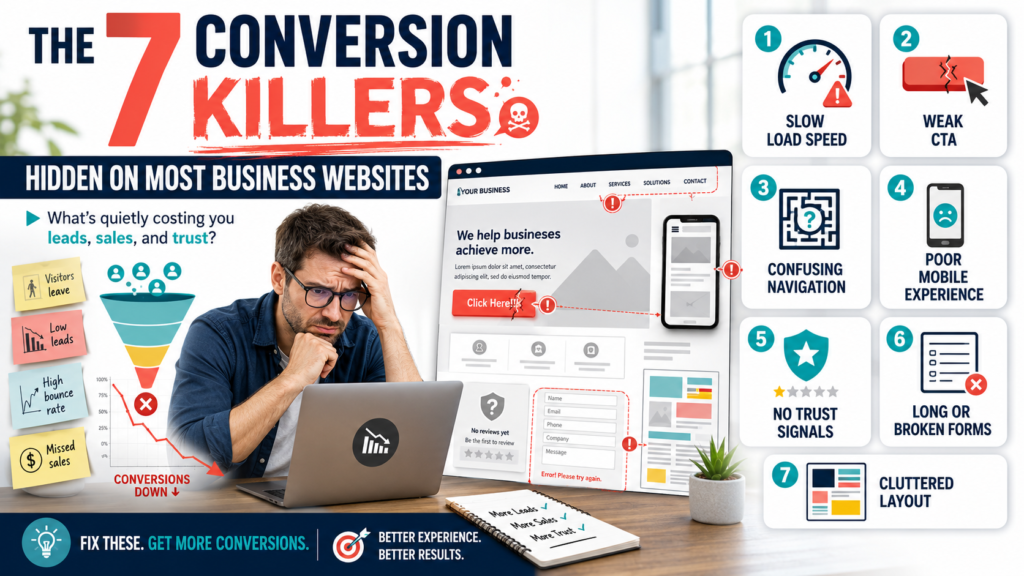
Website conversion killers are quietly costing Australian businesses leads every single day, often without anyone noticing until enquiries have already dried up. A site can rank on page one, pull in steady traffic, and still fail to turn visitors into customers and the reason is almost always one (or several) of the seven issues below. This guide walks through each conversion killer in plain language, why it matters, and exactly how to fix it.
If your business runs on a website that gets visits but not enquiries, this is the checklist to work through before spending another dollar on ads or SEO.
The 7 Conversion Killers to Look for on Your Website
1. A Homepage That Doesn’t Say What You Do
The single biggest website conversion killer on Australian business sites is a homepage headline that talks about “innovative solutions” or “excellence since 2010” instead of the actual service. A visitor decides whether to stay within seconds. If they can’t tell what the business does, who it’s for, and why it’s better within that first glance, they leave and that lost visitor never becomes a lead.
How to fix it: Replace vague taglines with a clear value statement: what you do, who it’s for, and the outcome. Put it above the fold, in plain language, with a visible next step.
2. Slow Page Speed and Poor Core Web Vitals
Speed is both a ranking factor and a conversion factor, which makes it one of the most damaging website conversion killers when ignored. Large uncompressed images, bloated plugins, and unoptimised code push load times past the point where visitors simply give up and hit the back button.
How to fix it: Compress images, enable caching, and trim unused scripts. If you haven’t already, read our full breakdown in Core Web Vitals Explained for the exact thresholds Google checks.
3. Weak or Missing Calls to Action
A website can have great content and still convert poorly if there’s no clear call to action guiding the visitor toward the next step. Generic buttons like “Submit” or “Learn More” buried at the bottom of a page do very little. This is a quiet conversion killer because traffic and rankings can look fine while enquiries stay flat.
How to fix it: Use action-specific CTA text (“Get a Free Quote”, “Book a Call”), repeat the CTA at natural scroll points, and make buttons visually distinct from surrounding content.
4. Forms That Ask for Too Much, Too Soon
Long contact forms asking for a phone number, budget, company size, and a detailed project brief before a visitor has even spoken to anyone are a well-documented conversion killer. According to UX research from the Baymard Institute, unnecessarily long or complex checkout and form flows are consistently cited as a top reason visitors abandon before completing an action.
How to fix it: Cut forms down to name, email, and a short message. Save qualifying questions for a follow-up call, not the first touchpoint.
5. No Mobile Optimisation
With most Australian search traffic now arriving on a phone, a site that isn’t properly responsive is a direct website conversion killer not a minor inconvenience. Tiny tap targets, text that requires pinch-zooming, and forms that break on mobile keyboards all push visitors away before they convert.
How to fix it: Test every key page on an actual phone, not just a browser resize. Fix tap target sizing, form field behaviour, and menu usability first.
6. Missing Trust Signals
Visitors who don’t recognise a brand look for proof before they commit reviews, case studies, recognisable client logos, or clear business details. Without these, even a well-designed page can underperform, because the absence of trust signals is one of the conversion killers businesses notice last, since the page still looks fine on the surface.
How to fix it: Add testimonials near the CTA, display real client logos, and make an About/Contact page with a real address and phone number easy to find.
7. No Clear Path for Search Intent
Traffic that lands on the wrong page, or a page that doesn’t match what someone searched for, converts poorly no matter how good the design is. This mismatch between search intent and page content is a growing conversion killer as search behaviour shifts across Google, AI chatbots, and other platforms a shift we cover in Search Everywhere Optimisation.
How to fix it: Map each landing page to a specific search intent and keyword, and make sure the page content, headline, and CTA all match what the visitor was actually looking for.
What the Research Says
Independent UX research from the Baymard Institute backs up what most Australian businesses experience first-hand: unnecessary friction in forms and checkout flows is one of the single biggest drivers of lost conversions, regardless of how much traffic a site receives.
Image Guidance
Add one supporting image (a before/after audit dashboard, or an annotated screenshot of a slow-loading page) with the following:
- File name: website-conversion-killers-audit.jpg
- Alt text: website conversion killers audit dashboard
- Placement: directly under the introduction or beside Section 2 (Page Speed)
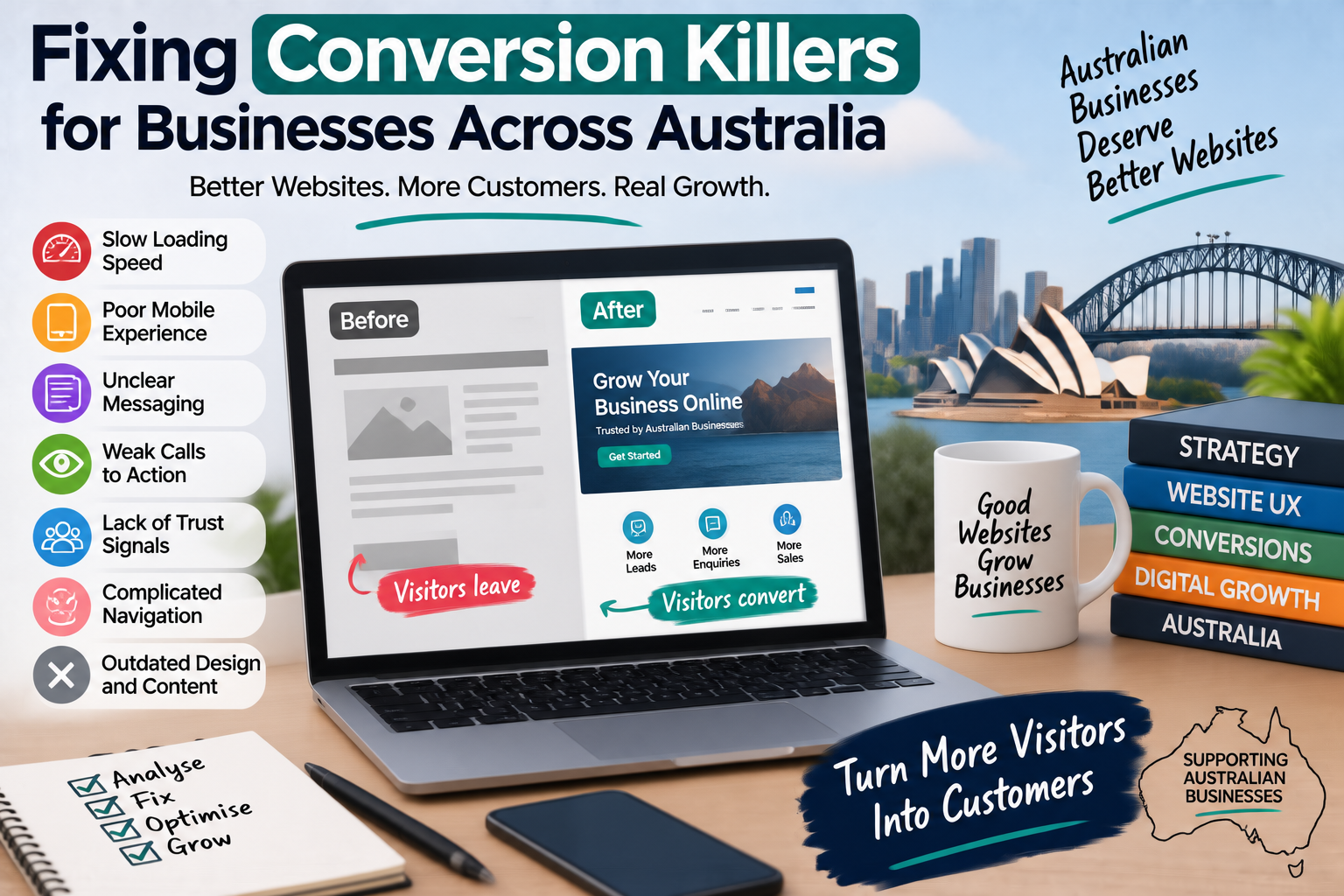
Fixing Conversion Killers for Businesses Across Australia
Website conversion killers show up the same way whether a business is based in Sydney, Melbourne, Brisbane, Perth, Adelaide, or Canberra but local competition and search behaviour differ city to city. A Sydney or Melbourne business competing in a crowded market can’t afford a slow, unclear homepage; a Perth or Adelaide business relying on local search needs every page mapped to real search intent so traffic actually converts into local enquiries. Whatever the location, the fix is the same: remove friction, clarify the offer, and give visitors an obvious next step.
Related Pages and Further Reading
Internal links to include naturally within the body copy above (already reflected in the sections where relevant):
- Website Design & Development
- Custom Web Applications
- Ecommerce Development
- Core Web Vitals Explained
- Search Everywhere Optimisation
- Contact Us
Frequently Asked Questions
What is a website conversion killer?
A website conversion killer is any issue on a page slow speed, unclear messaging, a broken form, missing trust signals that stops an otherwise interested visitor from taking action.
How do I know if my website has conversion killers?
Run a quick audit: check page speed, test the site on mobile, review your homepage headline, and count how many fields are in your contact form. If any of the seven issues above apply, that’s a starting point.
Can fixing these issues improve rankings as well as conversions?
Yes. Google’s Core Web Vitals and overall page experience signals overlap heavily with conversion-focused fixes like speed and mobile usability, so improving one typically supports the other.