
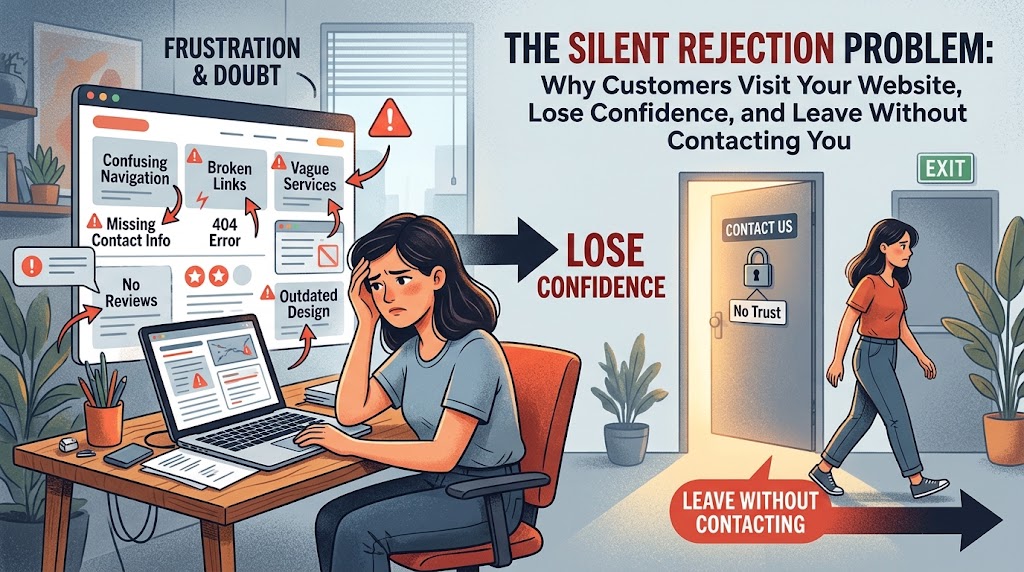
Silent rejection is what happens when a visitor decides, within seconds, that your business isn’t quite right for them, and leaves without a word. There is no complaint, no angry email and no chance to change their mind. Your analytics records a visit. Your inbox records nothing.
The frustrating part is that these people weren’t hostile. They arrived with a need, searched, clicked and landed on your page. Something along the way made them hesitate, and hesitation on the web is fatal because the next option is one tap away. They didn’t hate your site. They just didn’t feel confident enough to get in touch.
This guide explains how silent rejection works, the eight most common reasons visitors lose confidence, how to spot it in your data, and how better web development turns quiet exits into real enquiries.
What Is Silent Rejection, and Why Don’t Website Visitors Tell You?
Silent rejection is the quiet loss of a potential customer who visits your website, loses confidence and leaves without contacting you. Nobody writes to say your site felt a bit dodgy or that they couldn’t work out what you do. They simply close the tab.
The window to prevent it is tiny. Research from the Nielsen Norman Group shows that users often leave web pages in 10 to 20 seconds, but pages with a clear value proposition hold attention far longer. The same group notes that people can form a rough view of a page’s visual appeal in around 50 milliseconds. In other words, a visitor’s first judgement is largely made before they have read a single word.
That is why silent rejection is so costly. You have already paid for the visit, through ads, SEO or years of reputation, and lost it before the conversation began.
8 Reasons Visitors Lose Confidence and Leave
Confidence is built from small signals. Here are the eight that most often break it.
- It isn’t clear what you do. If a stranger can’t tell in ten seconds what you sell, who it’s for and where you work, they won’t dig around to find out.
- The site is slow or jumpy. Google’s Core Web Vitals set clear targets: the main content should load within 2.5 seconds, interactions should respond within 200 milliseconds, and layout shifts should stay at 0.1 or less. A page that misses these feels unreliable before it says anything.
- It looks dated or inconsistent. Mismatched fonts, stretched images and a design from another decade signal that nobody is looking after the business.
- The proof is missing or doesn’t fit. Testimonials that talk about a different service, or no reviews at all, leave visitors with no evidence. Wrong-industry proof is worse than none, because it makes people question everything else on the page.
- Mobile is an afterthought. Tiny buttons, sideways scrolling and pop-ups that cover the screen push phone users away instantly.
- The contact path is hidden or heavy. No phone number, a twelve-field form and no idea when anyone will reply all add friction at the exact moment someone is ready to reach out.
- The details contradict each other. Different addresses, repeated paragraphs, or leftover text from another business make visitors wonder whether anyone is really behind the site.
- Small things are broken. Dead links, forms that fail silently and missing security signals cost trust far out of proportion to their size.
The 10-Second Confidence Test: 5 Questions Your Homepage Must Answer
Open your homepage on your phone and pretend you have never heard of your business. Can you answer these five questions without scrolling?
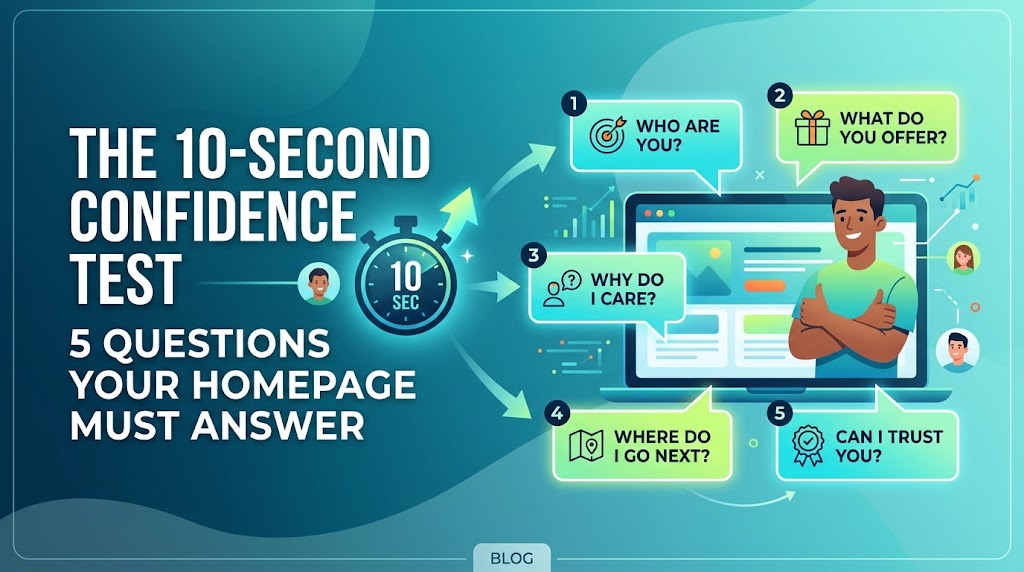
| Visitor question | What good looks like |
| What do you do? | A plain-language headline that names the service and the result. |
| Who is it for? | Clear signals about your customers, industry or location. |
| Why should I pick you? | One or two specific proof points, not generic claims. |
| What do I do next? | One obvious button, such as “Get a free quote”, above the fold. |
| Can I trust you? | Real reviews, real contact details and a site that loads fast and works properly. |
If any answer is vague, that is where silent rejection is most likely happening.
How to Spot Silent Rejection in Your Analytics
Because nobody complains, you have to read the signs in your data.
| Signal | What it may mean | Where to check |
| High bounce or low engagement on landing pages | The page didn’t match what the visitor expected. | Google Analytics 4 |
| Good traffic but few enquiries | The offer or contact path lacks confidence. | GA4 conversions |
| Slow LCP or high layout shift | Speed and stability are hurting first impressions. | PageSpeed Insights and Search Console |
| Visitors rage-clicking or abandoning forms | Something is broken or too long. | Session recordings such as Microsoft Clarity |
| Mobile conversion far below desktop | The mobile experience is letting people down. | GA4 device reports |
| Calls or forms dropping after a redesign | A change removed a trust signal or a clear next step. | GA4 and call tracking |
How Web Development Fixes Silent Rejection
Messaging matters, but a lot of silent rejection is technical. Speed, structure, mobile behaviour and reliability all come down to how the site is built. Here is how the main development services line up with the problem.
| Problem | How development helps | Service |
| Slow, hard-to-edit or outdated site | Fast, clean builds your team can update without a developer. | WordPress development |
| Online store friction and cart drop-off | Simpler product flow, quicker checkout and better mobile shopping. | Shopify development |
| Complex store needs and integrations | Flexible stores that connect to your stock and systems. | WooCommerce development |
| A dated look that undermines trust | A modern layout with clear messaging and calls to action. | Ecommerce redesign |
| A site that isn’t found or trusted | Search-friendly structure and product pages. | Ecommerce SEO |
| Bugs, broken plugins and slow updates | Ongoing care so small faults never reach customers. | Ecommerce maintenance |
For custom builds and business websites, see our web design and development service, small business website development and our full services page. Whatever the platform, the content should follow Google’s guidance on creating helpful, people-first content, which puts experience, expertise and trust at the centre. Those are the same things a nervous visitor is scanning for.
A 30-Day Plan to Stop Silent Rejection
You don’t need a full rebuild to start. Work through this over a month.
- Week 1: run the confidence test. Ask three people outside your business to look at your homepage for ten seconds and tell you what you do and what to do next.
- Week 2: fix the basics. Check speed in PageSpeed Insights, repair broken links and forms, and remove any content that doesn’t belong to your business.
- Week 3: add real proof. Replace generic praise with specific testimonials, case studies or project examples that match the service on the page.
- Week 4: simplify the next step. Put one clear button above the fold, shorten your form and show a phone number and reply time.
Then compare enquiries, engagement and speed against the month before. If the numbers are still low, the site may need deeper development work, not more copy.
Fixing Silent Rejection in Melbourne, Sydney, Brisbane, Perth, Adelaide and Canberra
Local visitors judge quickly and compare locally. A site that feels current, quick and trustworthy in your city has a real edge. Choose your location below, or see all of our locations.
- Web development in Melbourne: custom websites and online stores for Victorian businesses.
- Web development in Sydney: conversion-focused builds for New South Wales brands.
- Web development in Brisbane: fast, mobile-friendly websites for Queensland companies.
- Web development in Perth: websites and ecommerce for Western Australian businesses.
- Web development in Adelaide: scalable sites for South Australian teams.
- Web development in Canberra: professional web development for the capital region.
Silent Rejection FAQs
What is silent rejection on a website?
It is when a visitor loses confidence in your business and leaves without contacting you, so you never hear why. It shows up as decent traffic with few enquiries.
Why do visitors leave my website without contacting me?
Common reasons include an unclear offer, slow loading, dated design, missing proof, poor mobile experience and a contact process that feels like hard work.
How fast should my website load?
Google’s Core Web Vitals guidance says the largest content should appear within 2.5 seconds, with interactions responding in 200 milliseconds or less.
How do I stop silent rejection?
Make your offer clear in ten seconds, speed up the site, add relevant proof, fix broken elements and give visitors one obvious next step. Read more on our FAQs page.
Can a redesign fix silent rejection?
Often, yes, if it addresses clarity, speed, mobile experience and trust rather than only appearance. Our ecommerce redesign service does exactly that.
Final Thoughts: Turn Silent Rejection Into Enquiries
Every quiet exit is a customer you almost had. The good news is that most of the causes are fixable: clearer messaging, faster pages, real proof and an easy path to contact you. If you’d like a second opinion, request a free audit or quote, call 1300 649 299, or learn about our team. You can also browse more articles on our blog and start turning silent rejection into conversations.