




Website not generating leads is one of the most common and most fixable problems Australian small businesses run into. You’re getting visitors, maybe even decent traffic numbers in Google Analytics, but the phone isn’t ringing and the contact form sits empty. The good news is that this almost always comes down to a handful of identifiable, fixable issues rather than some mysterious marketing problem.
Below are the eight most common reasons a website fails to convert visitors into leads, and exactly what to do about each one starting with the fastest wins first.
1. Your Call-to-Action Is Missing, Weak, or Hidden
If a visitor has to hunt for how to contact you, they won’t. A website not generating leads very often has no clear, repeated call-to-action above the fold, or buries a generic “Contact Us” link in the navigation instead of a prominent button.
- Fix: Add a specific, action-based CTA (“Get a Free Quote”, “Book a Consultation”) near the top of every key page
- Fix: Repeat the CTA at least once more further down the page, not just in the header
- Fix: Make the button visually distinct — colour contrast matters more than cleverness here
2. Your Website Is Slow to Load
Page speed is one of the biggest silent lead killers. According to Google’s own research on Core Web Vitals, bounce rates climb sharply as load time increases past a few seconds meaning a slow site can be actively pushing potential leads away before they even see your offer.
- Fix: Compress and properly size images before uploading them
- Fix: Choose quality hosting — cheap shared hosting is a common hidden cause of slow load times
- Fix: Remove unnecessary plugins, scripts and tracking tags that aren’t actively used
3. It Isn’t Mobile-Optimised
The majority of Australian web traffic now comes from mobile devices. If your site is hard to navigate, has tiny tap targets, or forces horizontal scrolling on a phone, visitors leave before they ever reach your contact form.
- Fix: Test every key page on an actual phone, not just a resized browser window
- Fix: Make forms mobile-friendly — large fields, minimal typing, autofill-friendly
- Fix: Ensure click-to-call phone numbers work properly on mobile
4. Your Messaging Doesn’t Answer “What’s In It For Me?”
Visitors decide within seconds whether a page is relevant to them. A website not generating leads often talks about the business (“We’ve been operating since…”) before it explains the visitor’s problem and how it gets solved.
- Fix: Lead with the customer’s problem and outcome, not your company history
- Fix: Use specific, concrete language instead of vague claims like “quality service”
- Fix: Add trust signals — testimonials, reviews, recognisable client logos — near the CTA
5. Your Contact Forms Ask for Too Much
Every extra field on a form measurably reduces completion rates. A ten-field enquiry form for a first-touch enquiry is a common, easily fixed leak.
- Fix: Cut initial forms down to name, email/phone, and one qualifying question
- Fix: Save detailed questions for a follow-up call, not the first form
- Fix: Add a one-line reassurance near the form (“We reply within 1 business day”)
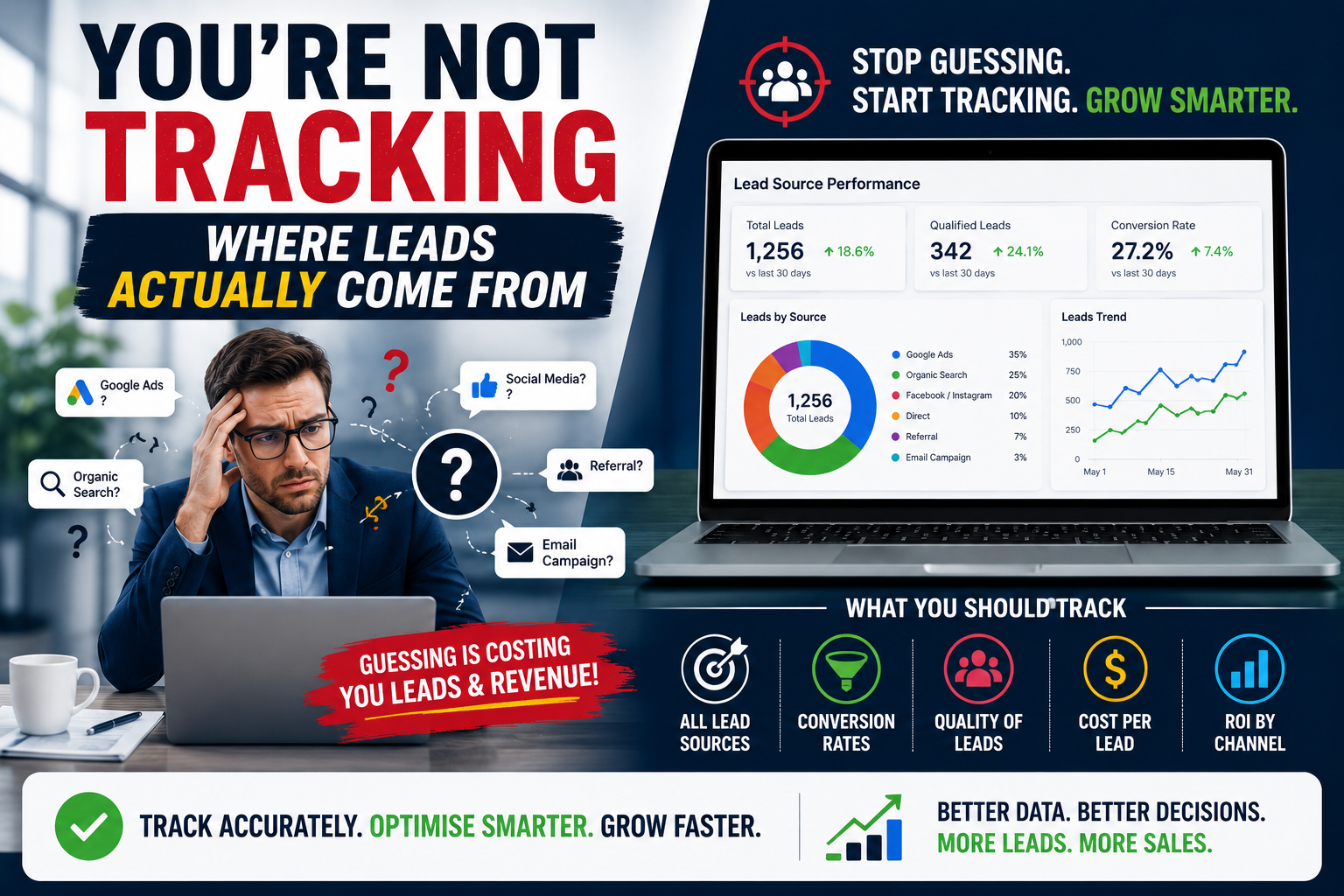
6. You’re Not Tracking Where Leads Actually Come From
Without proper tracking, it’s genuinely hard to know whether the problem is traffic quality, page performance, or something else entirely which means fixes end up being guesswork.
- Fix: Set up goal tracking in Google Analytics for form submissions and calls
- Fix: Use call tracking if phone enquiries are a major channel
- Fix: Review which pages leads actually convert on — it’s rarely the homepage
7. Your SEO Is Bringing the Wrong Traffic
High traffic numbers can mask a real problem: if your content is ranking for the wrong search intent, you’re attracting visitors who were never going to become leads in the first place.
- Fix: Target high-intent, commercial keywords, not just broad informational terms
- Fix: Match landing page content tightly to what the visitor searched for
- Fix: Review Search Console queries regularly to catch intent mismatches early
8. There’s No Clear Next Step After the First Visit
Not every visitor is ready to enquire on their first visit and a website with no way to stay in touch with them (email capture, retargeting, a low-commitment offer) loses that visitor permanently.
- Fix: Add a low-commitment offer (guide, checklist, free audit) alongside the main CTA
- Fix: Set up retargeting so visitors who didn’t convert see you again
- Fix: Capture email addresses where possible, even from visitors who don’t enquire immediately
A Quick Website Audit Checklist
- Does every key page have a clear, visible CTA above the fold?
- Does the site load in under 3 seconds on mobile?
- Is the enquiry form 5 fields or fewer?
- Is goal tracking set up in Google Analytics?
- Does the homepage explain the visitor’s problem within the first screen?
Frequently Asked Questions
Why is my website getting traffic but no leads?
This is almost always a conversion problem, not a traffic problem usually weak CTAs, slow load times, or messaging that doesn’t speak to what the visitor searched for.
How long does it take to fix a website not generating leads?
Quick wins like CTA placement and form length can be fixed within days. Structural issues like site speed or messaging often take a few weeks to properly rebuild and test.
Should I redesign my whole website or fix it page by page?
Start with your highest-traffic pages first fixing the pages people already land on gets results faster than a full redesign, and tells you what actually moves the needle before you invest in a rebuild.
Get a Free Website Audit
If you want a clear answer on exactly why your website isn’t generating leads, our website design and development services team can run a full conversion audit, or if you’re building something new entirely, explore our custom web application development and e-commerce development services. Contact us for a free, no-obligation audit.