
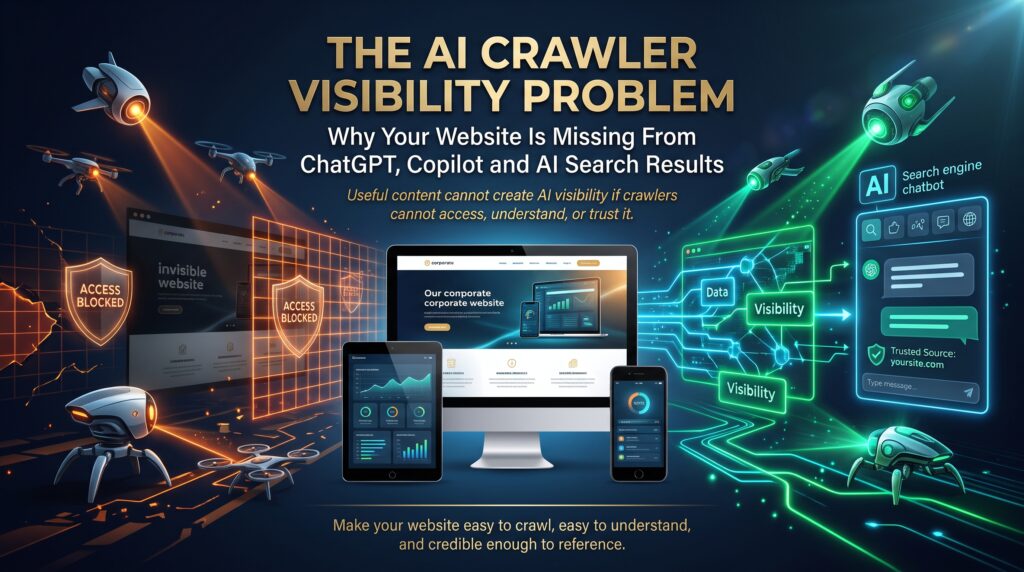

AI crawlers are the automated bots that AI companies use to read, index and retrieve web pages, and if they cannot reach or understand your site, tools like ChatGPT, Microsoft Copilot and other AI search products have little reason to mention you. The AI crawler visibility problem is the quiet gap between a website that ranks perfectly well in Google and one that never appears when customers ask an AI assistant for a recommendation.
It catches many Australian businesses by surprise. The site is fast enough, the design is fine and the Google rankings look healthy. Yet when an owner asks ChatGPT for the best supplier in their city, a competitor appears and they do not. This guide explains why AI crawlers skip some sites, how to diagnose the problem and what a good web developer should fix.
| Quick answer
Your website is probably missing from AI answers because AI crawlers are blocked (by robots.txt, a firewall or a security plugin), cannot read JavaScript-only content, cannot find your pages in the index they rely on, or find content too vague to cite. Check robots.txt, bot protection, rendering, Bing and Google indexing, and page clarity, in that order. |
What Are AI Crawlers and How Are They Different From Googlebot?
Traditional search relies mainly on one family of crawlers, led by Googlebot. AI products use several, and each has a different job. Broadly, AI crawlers do one of three things: collect content that may be used for model training, build a search index that AI answers can draw on, or fetch a page on the spot because a user asked about it.
That distinction matters because blocking the wrong bot has the wrong effect. OpenAI, for example, documents separate bots for training, search and user-initiated visits, and notes that opting out of its search bot means a site will not be shown in ChatGPT search answers. You can read the details in OpenAI’s overview of its crawlers. Anthropic likewise separates training, search and user-directed access, as explained on its crawler support page.
Main AI crawlers at a glance
| Operator | Crawler | What it is used for |
| OpenAI | GPTBot | Collecting content that may be used to train models |
| OpenAI | OAI-SearchBot | Surfacing sites in ChatGPT search results |
| OpenAI | ChatGPT-User | Fetching pages when a user action in ChatGPT calls for it |
| Anthropic | ClaudeBot | Collecting content that may contribute to model training |
| Anthropic | Claude-SearchBot | Improving the quality of search results |
| Anthropic | Claude-User | Retrieving a page at a user’s request |
| Microsoft | Bingbot | Builds the Bing index that Copilot draws on |
| Googlebot | Crawls for Google Search, including its AI features | |
| Google-Extended | A control token for some Gemini uses; it does not affect Search inclusion | |
| Perplexity | PerplexityBot | Indexing for Perplexity’s answer engine |
Crawler names and policies change, so treat this table as a starting point and confirm against each vendor’s current documentation.
The AI Crawler Visibility Problem: A Story Many Business Owners Recognise
Picture a Brisbane trade supplies retailer with an online store. A few years ago, a developer added a security plugin and a content delivery service with aggressive bot protection, after scrapers had slowed the site.
What nobody noticed was that the same protection now challenged almost every automated visitor, including legitimate AI crawlers. The product pages also loaded their descriptions through JavaScript after the page opened. When the owner finally asked an AI assistant for suppliers in Brisbane, three competitors were named and the store was not.
Nothing was “broken” in the traditional sense. The site loaded for humans and ranked in Google. It simply could not be read by the machines that now answer many first questions. (This scenario is an illustration, not a real case.)
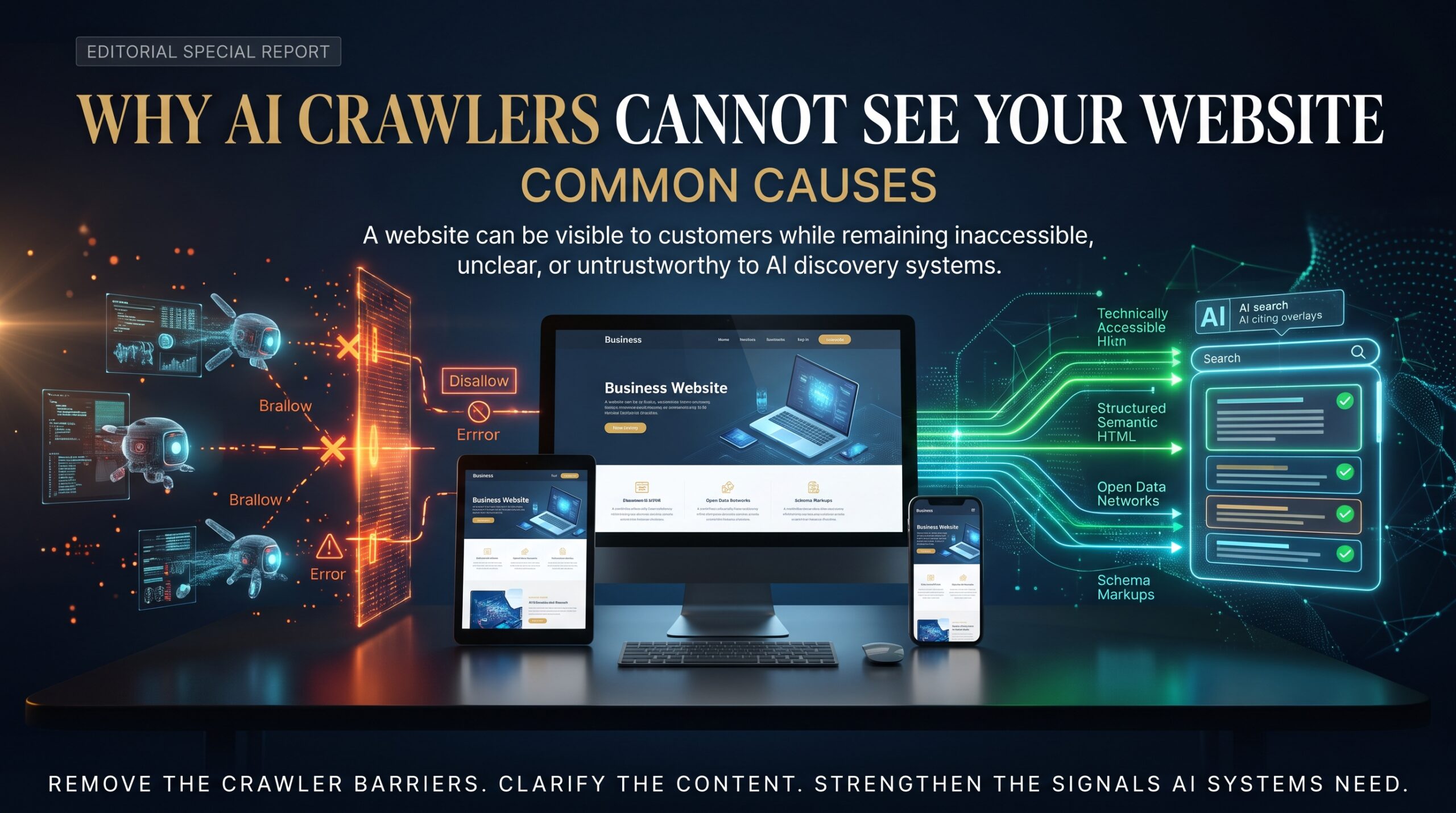
Why AI Crawlers Cannot See Your Website: Common Causes

1. robots.txt rules block AI crawlers
A single line can shut the door. Some sites block every unknown bot, copy a long block list from a forum, or block only the training bot and assume that settles it. Others leave a staging-site rule in place after launch. Because OpenAI treats training and search as separate bots, blocking one does not tell you what happens with the other.
2. Firewalls, CDNs and security plugins challenge bots
Bot protection is designed to stop abuse, but it cannot always tell a harmful scraper from a legitimate crawler. Some hosts and CDNs also offer settings that block AI bots by default or on request, so a rule you never wrote may be doing the blocking.
3. Important content only appears after JavaScript runs
If your descriptions, prices or articles are injected by JavaScript after load, some AI crawlers may never see them. Serving the main content in the initial HTML, through server-side rendering or static output, is the safer path.
4. Meta directives limit how content can be used
Tags and headers such as noindex, nosnippet and noarchive tell search systems what they may show or reuse. They are useful in the right place and costly when applied sitewide by accident.
5. Your pages are not in the index AI tools rely on
Copilot draws on Bing’s index, so a site missing from Bing is missing from a key route into Copilot answers. Many Australian sites never verify Bing Webmaster Tools and never submit a sitemap.
6. Content is thin, vague or hard to extract
AI answers favour pages that state clear facts, define terms and answer specific questions. Generic marketing copy, buried details and missing dates or authors give a model little to quote.
7. Weak business and entity signals
Inconsistent business names and addresses, a thin About page, no structured data and few trustworthy mentions make it harder for AI systems to be confident about who you are and what you do.
Cheat Sheet: Symptoms, Causes and Fixes for AI Crawlers
| What you notice | Likely cause | Quick fix |
| Competitors appear in ChatGPT, you do not | OAI-SearchBot blocked or challenged | Allow it in robots.txt and in your firewall |
| No AI bot visits in server logs | Bot protection or hosting rules | Review WAF, CDN and security plugin settings |
| AI tools describe your page inaccurately | Content rendered by JavaScript or vague copy | Server-render key content and state facts plainly |
| Visible in Google but not Copilot | Not indexed in Bing | Verify Bing Webmaster Tools, submit a sitemap, use IndexNow |
What Being Invisible to AI Crawlers Costs Your Business
More buyers now begin research by asking an AI assistant, so a site that AI crawlers cannot read may never reach the shortlist, and the lost enquiries will not show in your analytics. AI tools may also lean on old or third-party descriptions of your business, and the money you spend on content and SEO works harder only if every discovery channel can reach it. Businesses that fix this early build a track record of being cited, which tends to compound.
How to Check Whether AI Crawlers Can Reach Your Website: A Seven-Step Routine
You can check how AI crawlers see your site in an afternoon.
- Read your robots.txt. Open yourdomain.com.au/robots.txt and look for blanket blocks, old staging rules and the specific AI crawler names above.
- Check your server logs. Search for the crawler user-agent names. If a bot never appears, something upstream may be stopping it.
- Review bot protection. Check your firewall, CDN and security plugins for rules that challenge or block automated traffic, including AI bots.
- View the source, not the screen. Look at the raw page source. If your key text is missing there, it depends on JavaScript.
- Verify Google Search Console and Bing Webmaster Tools. Confirm both are set up, sitemaps are submitted and important pages are indexed. Consider IndexNow to tell participating engines, including Bing, when pages change.
- Audit meta robots and canonicals. Look for noindex, nosnippet, noarchive and incorrect canonical tags on pages that should be visible.
- Ask the AI tools directly. Ask ChatGPT, Copilot and others about your business, services and city. Note what they say and which sources they cite, then repeat monthly.
A Sensible robots.txt Starting Point for AI Crawlers
Whether to allow training crawlers is a business decision. Many companies allow search and user-initiated access, because that is what drives visibility, and choose separately about training. Here is an example that allows search-focused bots. Treat it as a template to review with your developer, not a copy-and-paste fix.
| User-agent: OAI-SearchBot
Allow: /
User-agent: ChatGPT-User Allow: /
User-agent: Claude-SearchBot Allow: /
User-agent: Claude-User Allow: /
User-agent: PerplexityBot Allow: /
User-agent: GPTBot Disallow: /
User-agent: ClaudeBot Disallow: /
User-agent: * Allow: /
Sitemap: https://yourdomain.com.au/sitemap_index.xml |
Remember that robots.txt is a request, not a lock. Reputable vendors honour it, but some user-initiated fetches may not follow it, as OpenAI notes for ChatGPT-User. Google also explains how the file works in its robots.txt introduction.
Make Your Content Easy for AI Crawlers and AI Search to Use
- Answer first. Lead each page and section with a plain, direct answer, then add detail.
- Use question-style headings. Headings that match real queries help both people and machines.
- Add structured data. Organization, LocalBusiness, Product, Article and FAQ markup help systems understand what a page is about.
- Publish original substance. Specific examples, local detail and real expertise are easier to cite than generic copy.
Google explains that its AI features draw on the same foundations as Search and require no special markup, and you can read its guidance on AI features and your website. Good SEO basics still matter.
How to Measure What AI Crawlers Do on Your Site
Measurement is still maturing, but you have real options.
- Bing Webmaster Tools AI Performance. Microsoft introduced this report in public preview in February 2026, showing how often your content is cited in Copilot and AI-generated Bing summaries. Read the announcement on the Bing blog.
- Server logs to see which AI crawlers visit, how often and what they request.
- Manual prompt tests on a fixed list of customer questions, repeated each month and recorded.
A citation is not a visit. Track both citations and enquiries, and avoid treating one as a substitute for the other.
Web Development Services That Fix AI Crawler Visibility
Most problems with AI crawlers sit in the website’s build, hosting and content structure, which is why they belong with your developer as well as your marketer. These services at Web Development Company address them directly.
- Web Design and Development covers custom builds with clean, crawlable, server-rendered structure.
- Ecommerce SEO helps product and category pages become visible to both search engines and AI tools.
- WordPress Development delivers fast, SEO-ready WordPress sites that are easy to edit.
- WooCommerce Development builds and improves WooCommerce stores for speed and conversion.
- Shopify Development Services covers theme work, builds and app integrations.
- Ecommerce Website Redesign and Website Migration help you move without losing crawlability or rankings.
- Ecommerce Maintenance keeps your settings, plugins and security rules from drifting back into blocking.
See everything on the services page, including Ecommerce Web Services, B2B Ecommerce Development and Small Business Website Development. You can also learn more about us, read the blog or check the FAQs.
Web Development Support Across Australian Cities
Local businesses in every city now need to be readable to AI crawlers as well as map listings and search results. We work with clients nationwide.
- Sydney: professional services, retail and technology businesses. See web development in Sydney.
- Melbourne: ecommerce, healthcare and B2B companies. See web development in Melbourne.
- Brisbane: trades, construction and growing online retailers. See web development in Brisbane.
- Adelaide: manufacturing, health and education organisations. See web development in Adelaide.
- Canberra: government suppliers and professional services. See web development in Canberra.
- Perth: resources, engineering and service businesses. See web development in Perth.
Our offices are in Melbourne, Sydney and Brisbane, with Adelaide, Canberra and Perth served remotely or on site by arrangement. View all locations or contact the team for a free audit.
Frequently Asked Questions About AI Crawlers
Why is my website not showing in ChatGPT?
Common reasons include a blocked OAI-SearchBot, firewall or CDN bot protection, JavaScript-only content, missing indexing in the sources AI tools use, or content that is too vague to cite. Start by checking robots.txt, bot protection and your server logs.
What is OAI-SearchBot?
OAI-SearchBot is OpenAI’s crawler for search. OpenAI says sites that opt out of it will not be shown in ChatGPT search answers, though they may still appear as navigational links.
Does blocking GPTBot remove my site from ChatGPT search?
Not by itself. GPTBot relates to training, while OAI-SearchBot relates to search. Many site owners block one and allow the other, depending on their goals.
How do I get my website into Microsoft Copilot answers?
Make sure Bing can crawl and index your site. Verify Bing Webmaster Tools, submit a sitemap, use IndexNow for updates and publish clear, well-structured pages. Then monitor the AI Performance report.
Final Thoughts: Make Your Website Readable to AI Crawlers
The AI crawler visibility problem is rarely about ranking. It is about access and clarity. A site can be well designed, fast and strong in Google while still being closed to the bots behind AI answers.
Check your robots.txt settings for AI crawlers, review bot protection, serve key content in plain HTML, get indexed in both Google and Bing, and write pages that answer real questions. Do that, and you give your business a fair chance of being named when customers ask. If you would like a clear, practical audit, speak with the team at Web Development Company on 1300 649 299, or request a free quote.