
Website accessibility debt is what you build up every time a site goes live with barriers you plan to fix later. “Later” sounds responsible, even strategic. In practice, later arrives with more pages, more plugins, more content and a bigger bill, and the original shortcut quietly collects interest every month it stays in place.
If you own, manage or commission a website, this guide is for you. We’ll explain what website accessibility is, why the cost of delay keeps climbing, what Australian law and the market expect, how to measure your debt and how to pay it down in practical steps. We’ll also look at how this plays out for businesses in Sydney, Melbourne, Brisbane, Perth, Canberra and Adelaide, and where our web development services fit in.
What Is Website Accessibility?
Website accessibility means designing and building a site so people with disability can perceive, understand, navigate and use it. That includes people who are blind or have low vision, who are deaf or hard of hearing, who can’t use a mouse, or who have cognitive or learning differences. It also helps people in temporary or situational circumstances, such as a broken arm, glare on a phone screen or a noisy train carriage.
It’s not a niche concern. The Australian Bureau of Statistics reports that roughly one in five Australians lives with disability. The global benchmark for website accessibility is the Web Content Accessibility Guidelines (WCAG), published by the W3C Web Accessibility Initiative. WCAG is built on four principles: content must be perceivable, operable, understandable and robust. It has three conformance levels (A, AA and AAA), and most organisations aim for Level AA. The current version is WCAG 2.2, and the WCAG 2.2 Quick Reference is a handy place to browse the requirements.
The key point is that website accessibility isn’t a feature you bolt on. It’s a quality of how the site is designed, coded and maintained.
What Is Website Accessibility Debt?
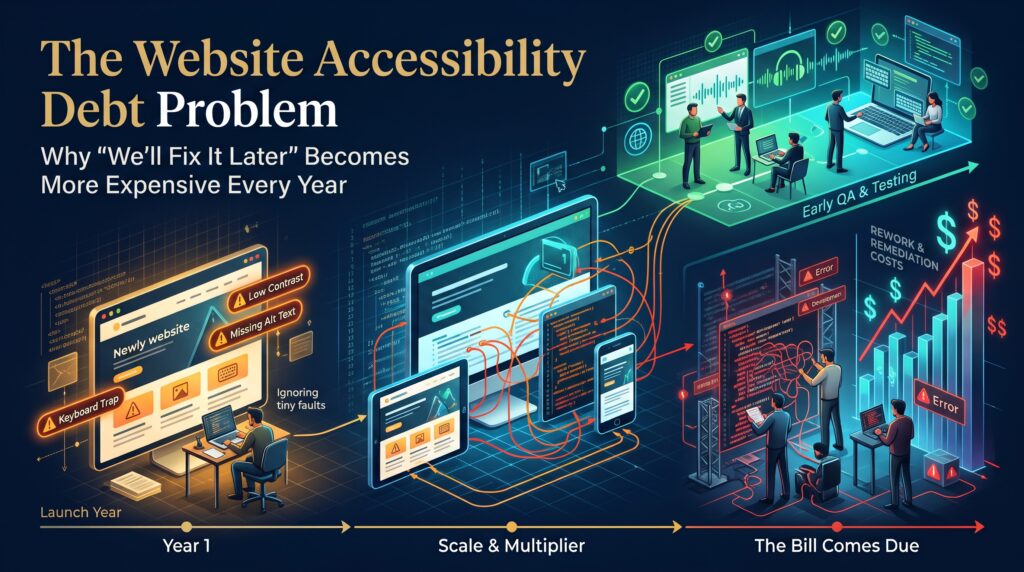
The term borrows from technical debt in software. Every barrier you ship and defer is a loan. The principal is what it would cost to fix today. The interest is the extra cost created as new pages, templates, plugins and campaigns get built on the same flawed patterns, plus the customers you lose and the complaints you attract along the way.
Unlike financial debt, website accessibility debt sends no statement. You find out how big it is when someone audits the site, a customer complains or you start a redesign. By then, it’s usually larger than anyone expected.
Why “We’ll Fix It Later” Becomes More Expensive Every Year
Every new page inherits the problem
If your template has a menu that can’t be reached by keyboard, every page you publish has that problem. Fixing one template is quick. Fixing the same flaw after it has been copied into hundreds of pages, landing pages and custom layouts is not.
Plugins, themes and widgets multiply the barriers
Sliders, pop-ups, chat widgets, cookie banners and page builders all add code you didn’t write. Many aren’t built with website accessibility in mind, and each one you add makes the eventual clean-up harder.
Content grows faster than anyone can check
Images without alt text, PDFs that can’t be read by assistive technology and videos without captions pile up quietly. A site with 50 pages is a weekend of work. A site with 2,000 is a project.
Standards and expectations keep moving
WCAG evolves, browsers change and users expect more. A site that met the standard of five years ago may fall short today, so the gap between where you are and where you need to be widens if you stand still.
Redesigns and migrations expose the debt
A redesign is the cheapest moment to fix accessibility, because the structure is being rebuilt anyway. But if you migrate platforms without addressing it, you simply carry the debt across and pay for it twice.
Lost customers never show up in your reports
A shopper who can’t complete checkout with a screen reader doesn’t send a complaint. They leave. The revenue cost of inaccessible design is real, but it’s invisible, which is why it often stays unfixed.
The Cost Curve: Why Fixing Website Accessibility Late Costs More
There’s no universal multiplier, because every site is different. But the pattern is consistent across projects. The later you address accessibility, the more places you have to fix it.
| Stage | Relative cost to fix | Why |
| Planning and design | Lowest | Choosing accessible patterns, contrast and structure costs very little at this point. |
| Development | Low | Semantic code and reusable components are built once and used everywhere. |
| Pre-launch testing | Moderate | Issues are found early, though some fixes need rework. |
| Live site, first year | Higher | Fixes must be made across many pages, with regression risk. |
| Live site, several years later | Highest | Content, plugins and templates are tangled together; a rebuild may be cheaper. |
| After a complaint or tender requirement | Highest, plus urgency | Rushed work, tight deadlines, legal advice and reputational risk. |
Australian Law and Expectations: What Business Owners Should Know
This isn’t legal advice, and you should speak to a lawyer about your own situation. But here’s the general picture.
- Private businesses: The Disability Discrimination Act 1992 makes it unlawful to discriminate in providing goods, services and facilities. The Australian Human Rights Commission has long taken the view that this applies to websites. A well-known 2000 complaint about the Sydney Olympics website helped establish that.
- Government and suppliers: Government bodies are directed towards WCAG at Level AA through standards from the Digital Transformation Agency, so tenders and contracts often require it.
- Exporters: If you sell into the European Union, the European Accessibility Act has applied to many consumer-facing online services since June 2025.
Legal risk is only one reason to act. Accessible sites also reach more customers, work better on mobile and tend to be easier to maintain.
Warning Signs You’re Carrying Website Accessibility Debt
Not sure whether this applies to you? Look for these signals:
- You’ve never run a website accessibility audit, or the last one was before your last redesign.
- You can’t complete a purchase or enquiry form using only your keyboard.
- Images, buttons and form fields have missing or meaningless labels.
- Text is light grey on white, or colour alone is used to show errors.
- Videos have no captions and PDFs are scanned images of documents.
If two or more sound familiar, your website accessibility debt is probably larger than you think.
A Realistic Example: The Store That Planned to Fix It Later
Here’s an illustrative scenario. A Melbourne online retailer launches a new WooCommerce store. The launch date is fixed because of a seasonal sale, so a few known issues are parked: form fields without proper labels, a mobile menu that only works by touch and product images with no alt text. The plan is to tidy them up after the sale.
The sale goes well. New priorities take over. Over the next three years, the store grows to 400 products, adds five plugins and gets a dozen campaign landing pages, all built on the same templates. Every addition repeats the original issues.
Then a corporate customer asks for evidence the site meets WCAG 2.2 AA before signing a supply agreement. An audit finds problems across almost every page. The quote to fix everything is close to the cost of rebuilding the site. Had the original issues been solved at launch, the same work would have been a small fraction of that.
Nothing in this story is unusual. It’s what website accessibility debt looks like when it’s left to compound.
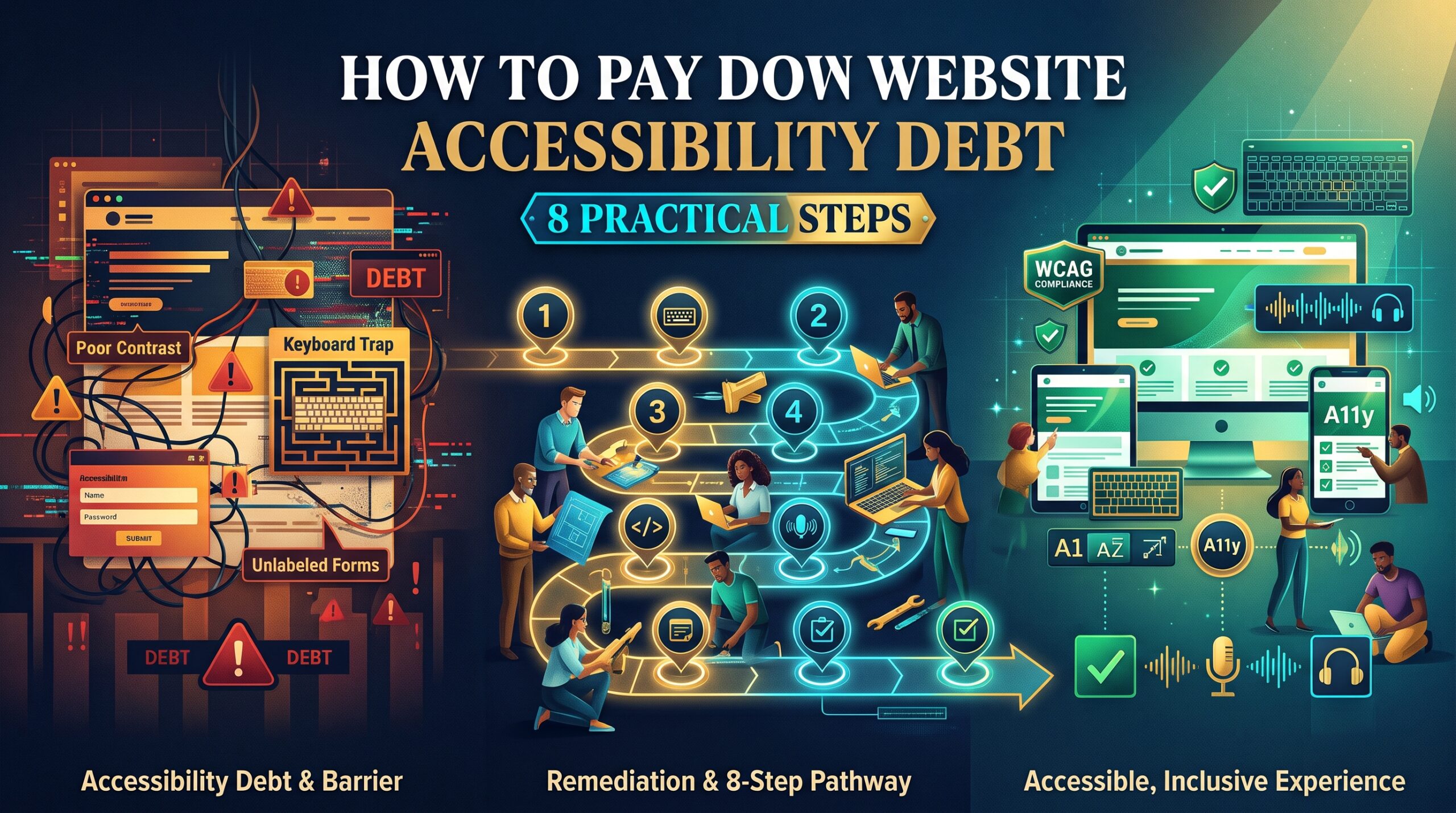
How to Pay Down Website Accessibility Debt: 8 Practical Steps

1. Set your target standard
Decide that your site will meet WCAG 2.2 Level AA, then write it into your project briefs and supplier agreements. A clear target makes every other step easier.
2. Run a proper audit
Combine automated checks with manual testing and a review using assistive technology such as a screen reader. Automated tools catch only part of the issues, so don’t rely on them alone.
3. Triage by impact
Start with the journeys that matter most: navigation, search, forms, checkout and contact pages. Fix what blocks people from completing a task before fixing cosmetic issues.
4. Fix problems at the source
Repair the templates, components and design system, not individual pages. One fix in a shared component can resolve the same issue across hundreds of pages.
5. Add accessibility to your definition of done
No page, feature or plugin goes live until it passes basic checks. This single habit stops new debt from being created while you pay off the old.
6. Train your content team
Editors need to know how to write useful alt text, use headings properly, caption videos and publish accessible documents. Most new barriers are introduced through content, not code.
7. Test with real users
People who use assistive technology every day will find problems that checklists miss. Even a small round of user testing teaches you a great deal.
8. Publish a statement and keep monitoring
Share an accessibility statement with a way for people to report problems, and schedule regular re-testing after major releases. Website accessibility is an ongoing practice, not a one-off project.
Quick Website Accessibility Audit Checklist
| Area | What to check | Simple test |
| Keyboard | Every link, menu, form and button can be used without a mouse. | Put the mouse aside and use Tab, Enter and Space. |
| Focus | A visible outline shows where you are on the page. | Tab through the page and watch for a clear highlight. |
| Colour contrast | Text has enough contrast against its background (4.5:1 for normal text). | Use the WebAIM contrast checker. |
| Images | Informative images have useful alt text; decorative ones are ignored. | Inspect the image tags or use a browser extension. |
| Forms | Fields have labels, instructions and clear error messages. | Click each label and see if the field is selected. |
| Headings and structure | Headings follow a logical order and pages have clear regions. | View the page outline in an accessibility tool. |
| Links and buttons | Link text makes sense on its own, not just “click here”. | List all links on the page and read them aloud. |
| Video and audio | Captions and transcripts are available. | Play the video on mute. |
| Zoom and mobile | Content stays usable at 200% zoom and touch targets are big enough. | Zoom the browser and test on a phone. |
Website Accessibility, SEO and Conversions Work Together
Accessibility and search optimisation overlap more than most people realise. Clear headings, descriptive link text, alt text, readable structure, transcripts and fast, mobile-friendly pages help both users and search engines. Google doesn’t treat accessibility as a direct ranking factor, but the practices behind it often support better visibility and engagement.
Better usability also means more completed checkouts and enquiries. If your goal is more traffic and sales, combining accessibility work with ecommerce SEO is a smart move.
How Our Web Development Services Help You Reduce Website Accessibility Debt
We can build accessibility into your project scope from the start, or help you retrofit an existing site. Depending on your platform, that could include:
- WordPress development services with accessible themes and editing workflows.
- WooCommerce development with accessible product, cart and checkout journeys.
- Shopify development services including theme improvements.
- Webflow development with clean structure and semantic markup.
- Ecommerce redesign and website migration services that fix debt instead of carrying it over.
- Ecommerce maintenance to stop new issues creeping in after launch.
You can see everything we offer on our services page and our web design and development page.
Website Accessibility Across Australian Cities
- Sydney: Competitive retail, finance and tech markets where large customers increasingly ask for accessibility evidence. See web development in Sydney.
- Melbourne: Strong ecommerce, education and healthcare sectors with diverse audiences. See web development in Melbourne.
- Brisbane: Fast-growing businesses and tourism brands that need sites everyone can use. See web development in Brisbane.
- Canberra: Government and supplier work where accessibility standards are part of procurement. See web development in Canberra.
- Perth: Resources, services and regional businesses serving wide and varied audiences. See web development in Perth.
- Adelaide: Education, health and small business sites that benefit from simple, inclusive design. See web development in Adelaide.
Businesses in Hobart and across Australia can also work with us online. See our locations page.
Frequently Asked Questions About Website Accessibility
What is website accessibility debt?
Website accessibility debt is the growing backlog of accessibility barriers on a site that have been left unfixed. The longer they stay, the more pages and features they affect, and the more it costs to repair them.
Is website accessibility a legal requirement in Australia?
The Disability Discrimination Act 1992 prohibits discrimination in providing goods and services, and the Australian Human Rights Commission treats websites as covered. Government work often requires WCAG compliance too. Speak to a legal adviser for your specific situation.
Which WCAG level should my website meet?
Level AA is the most common target, and it’s what many contracts and government requirements ask for. Aim for the current version, WCAG 2.2.
Can an accessibility overlay or plugin fix my website?
Overlays and quick-fix widgets don’t repair the underlying code, and many accessibility professionals advise against relying on them. They can sit alongside real fixes, but they’re not a substitute for them.
How much does it cost to fix website accessibility issues?
It depends on the size of the site, the platform, the number of templates and the severity of the issues. Fixing problems during design and build is cheapest. A free audit is the best first step. You can contact us to discuss your site.
Final Thoughts: The Cheapest Time to Fix It Is Now
Website accessibility debt rarely comes from bad intentions. It comes from deadlines, budgets and the very human habit of postponing work nobody is demanding today. But the interest is real, and it compounds.
The good news is that you don’t need to fix everything at once. Set a standard, fix the most important journeys first, repair issues at the source and stop adding new ones. Do that, and each year gets cheaper, not more expensive.
Want a second opinion on your site? Request a free audit through our contact page or call 1300 649 299. You can also explore our services, browse the FAQs, read more on our blog or learn about us.